From a sentence
to a board that boots
Describe your board, watch it come alive, and hold it in your hands. It is checked against real parts before you order it.
How it works
One prompt, a conversation and a board in the post. No schematic editor anywhere in the middle.
- New board
A little box that tells me when my plants need watering.
A box beside the plant, powered from a USB charger, with a probe in the soil and a red light that comes on when it dries out.
Battery, it sits in the pot and gets forgotten about.
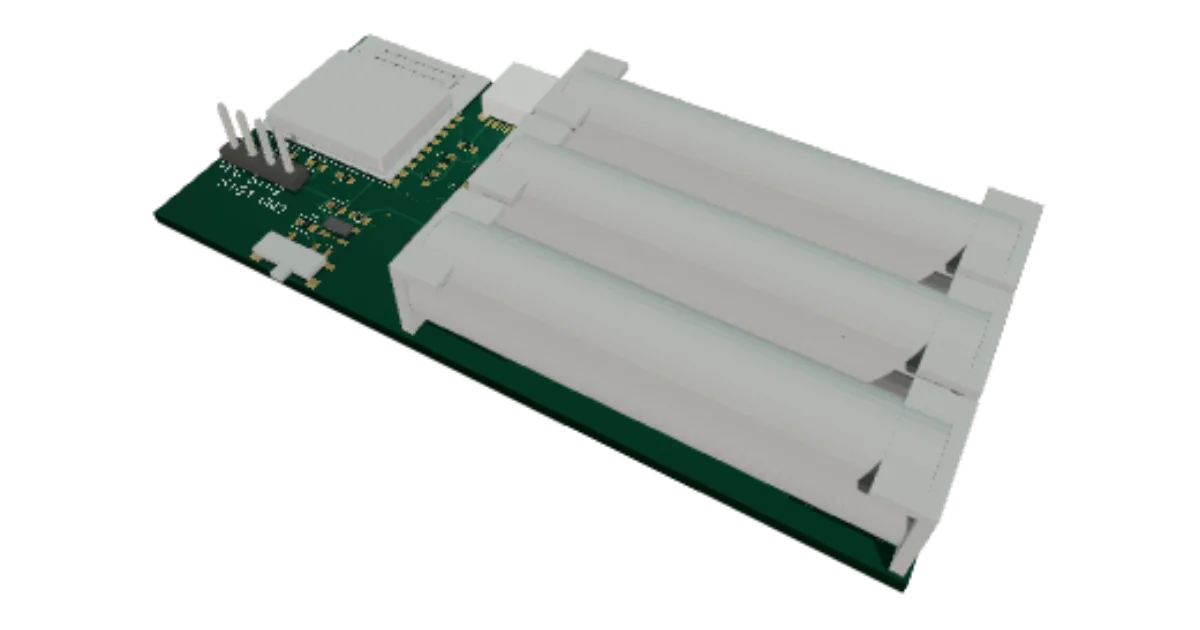
Moved it onto three AAA batteries with an off switch, and added a battery gauge so your phone shows what is left.
Parts list25 parts- The clips holding the three AAA cells that keep it running in the pot×6
- The socket you plug into to load the software or run it on the bench×3
- The bits that let the batteries and USB share the board without fighting×2
- The on/off switch and the power supply for the electronics×5
- The brain, with the Wi-Fi that serves the page on your phone×4
- The battery gauge that warns you before the cells die×2
- Where the soil probe on its cable plugs in×1
- The red water-me light×2
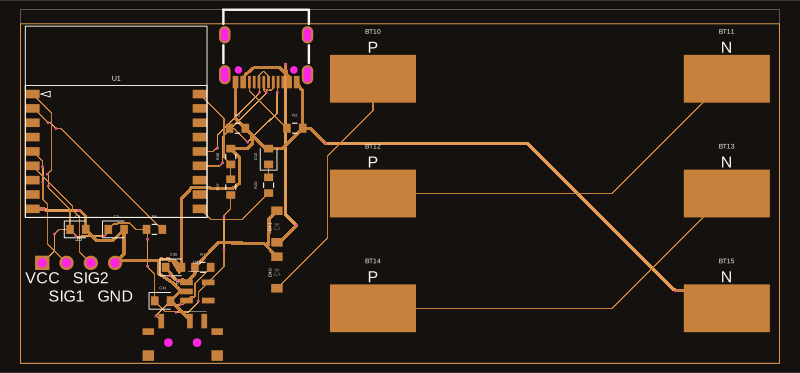
Schematic Layout
 3D board
 01
01Describe it with your words
Say what the board should do, in plain words, and refine it through a simple conversation. We only ask what shapes it, like how it is powered and how big it can be, then build the whole thing: schematic, layout, routed copper and real parts.
- Assembling proven blocks…02
Made only of proven blocks
Every design is assembled from pre-validated building blocks (power, sensing, logic, connectors), each one already checked. A board that comes out of copperly is a board that boots.
- Files ready for the factory03
Get it made
When it looks right, export the fabrication files and send them to our partner factory. A few days later a real board lands on your bench: the same one you were just looking at.
Let’s make together
Nobody builds alone. These are real things people made with copperly: described in a sentence, held in a hand a few days later. Show us yours and it lands on this wall.
- maker videoclip coming soon
A watering box for the balcony
Ana, Lisbon
- maker videoclip coming soon
A tiny light that follows the sun
Jules, Nantes
- maker videoclip coming soon
A door chime for the workshop
Priya, Bangalore
- maker videoclip coming soon
A greenhouse that texts him
Tom, Leeds
- maker videoclip coming soon
A bike light that knows dusk
Mira, Berlin
- maker videoclip coming soon
A coffee scale for the counter
Sam, Austin
Questions makers ask
- What can I build with copperly?
- Boards that sense, light up, beep, switch things on and off, or go online over Wi-Fi or bluetooth: a plant watering reminder, a fridge door alarm, a robot actuator. If what you describe needs something copperly cannot build yet, it tells you so instead of guessing.
- Do I need to know electronics?
- No. You say what the board should do in your own words and answer a couple of questions, such as how it is powered and how big it can be. copperly picks the parts, draws the circuit and lays out the board.
- How do I know the board will work?
- Every board is made only of proven building blocks, each one already checked, and the whole board is checked and routed against real parts before you can order it. Once it is in your hands, its program tests every part each time it powers up.
- How do I get the physical board?
- Download the fabrication files and send them to our partner factory, which makes the board and solders the parts on. A few days later it lands on your bench.
- How do I put the program on it?
- Plug the board into your computer with a USB cable and upload its program straight from the project page, in Chrome or Edge. There is nothing to install.
- Can I see boards other makers built?
- Yes. The gallery lists every board makers have published, each with its files, its parts list and how to build it, so you can have one made as it is.
- What does it cost?
- copperly is free to use. You pay only the factory that makes and assembles your board, and the project page shows an estimate before you order.
- Who owns my design?
- You do: build it, change it, sell it. Nothing is public until you publish it. Publishing gives the board a page under your name and an open-hardware licence, so other makers can build it too. Your conversation is never published.